Capture. Edit. Done.
A Windows capture tool with no ads, no notifications and no internet connection
- Auto-maskingFinds personal details in a capture and covers them
- No traceLeaves nothing on disk until you save
- Zero networkHas no code that connects to the internet
0.1 seconds.
Screen frozen in 0.05 seconds. Editor open in 0.1 seconds
Measured on a development build
No ads. No alerts. No network.
There is no code that connects to the internet. Block it at the firewall and everything still works
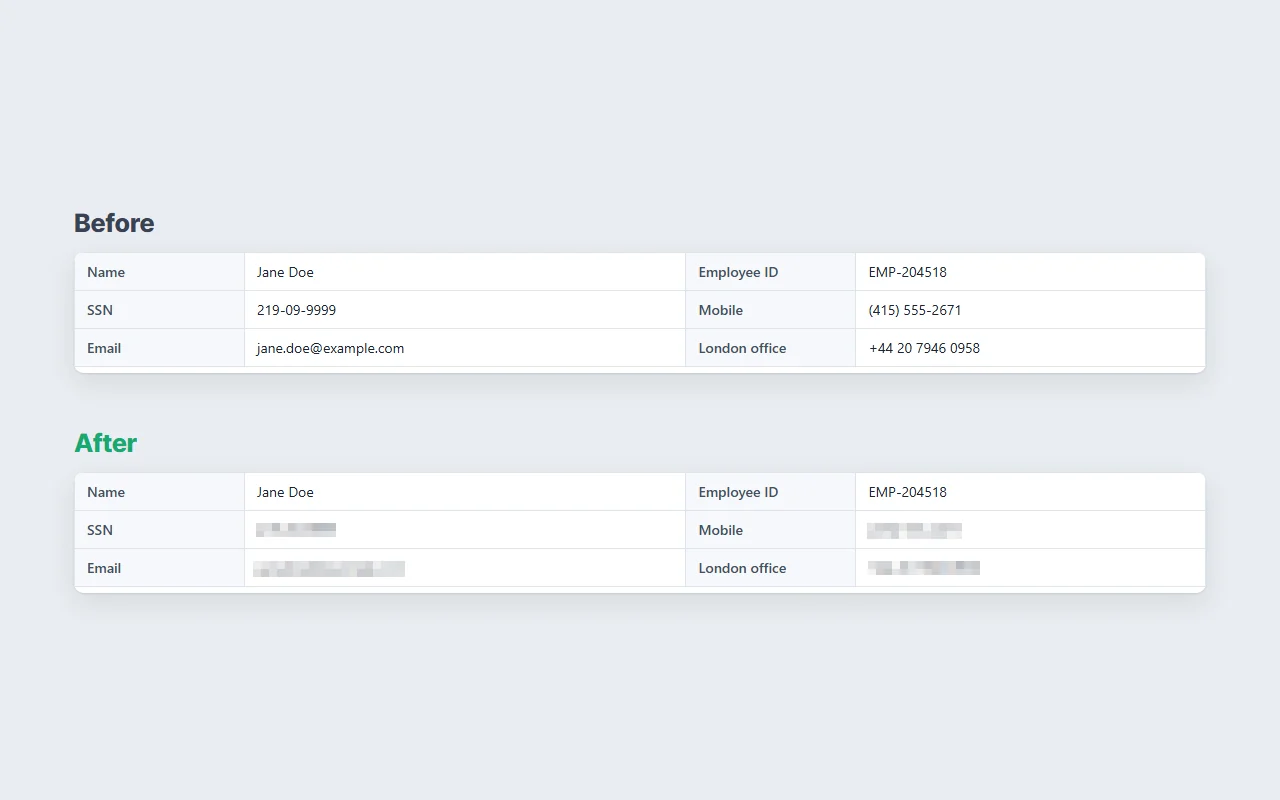
Covered before it leaves.
Finds card numbers, IBANs and Social Security numbers in a capture and pixelates them
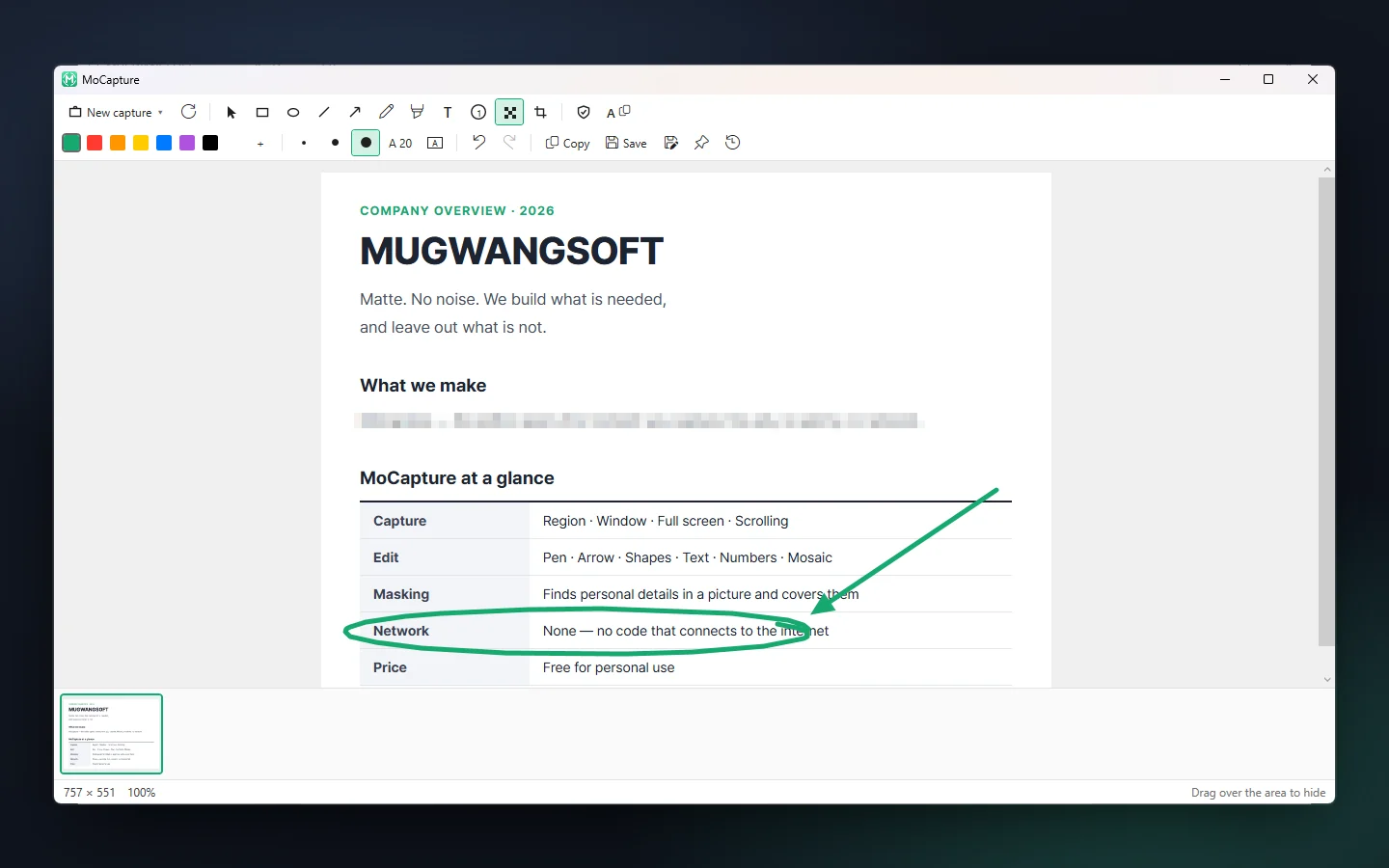
No edits needed? Just Ctrl+V.
Every capture is already on the clipboard. Pen, arrows, mosaic and crop sit on one screen
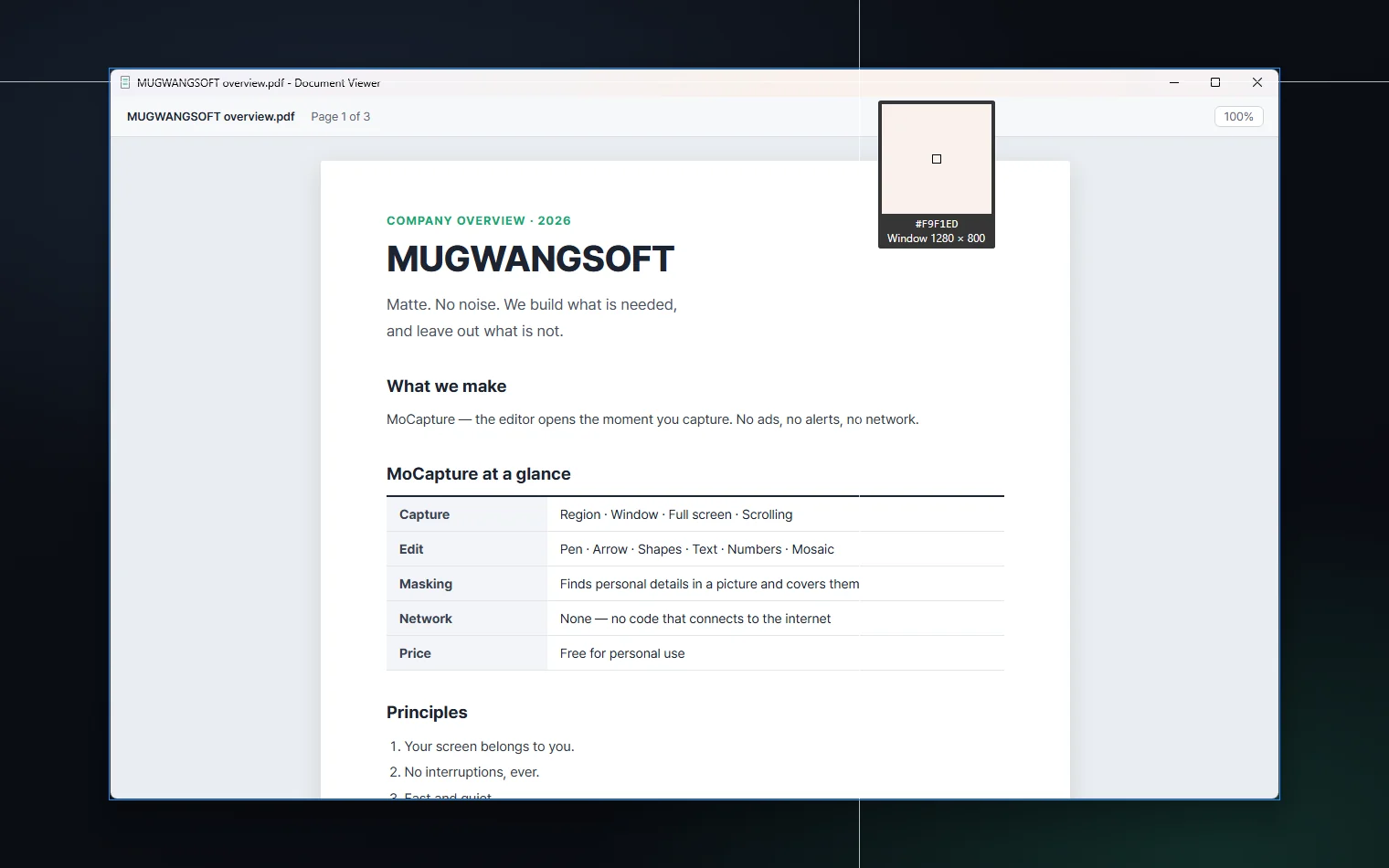
Point at the title bar.
Hover a window’s title bar to grab the whole window. Hover inside it to grab a single button
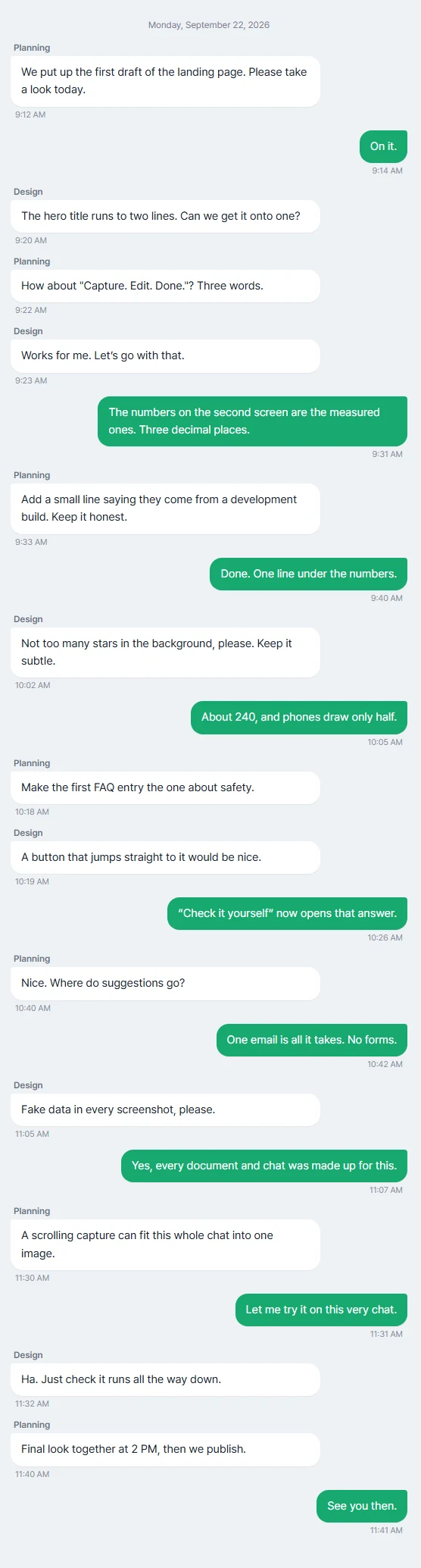
Long chats, one image.
Anything that scrolls is stitched together into a single capture
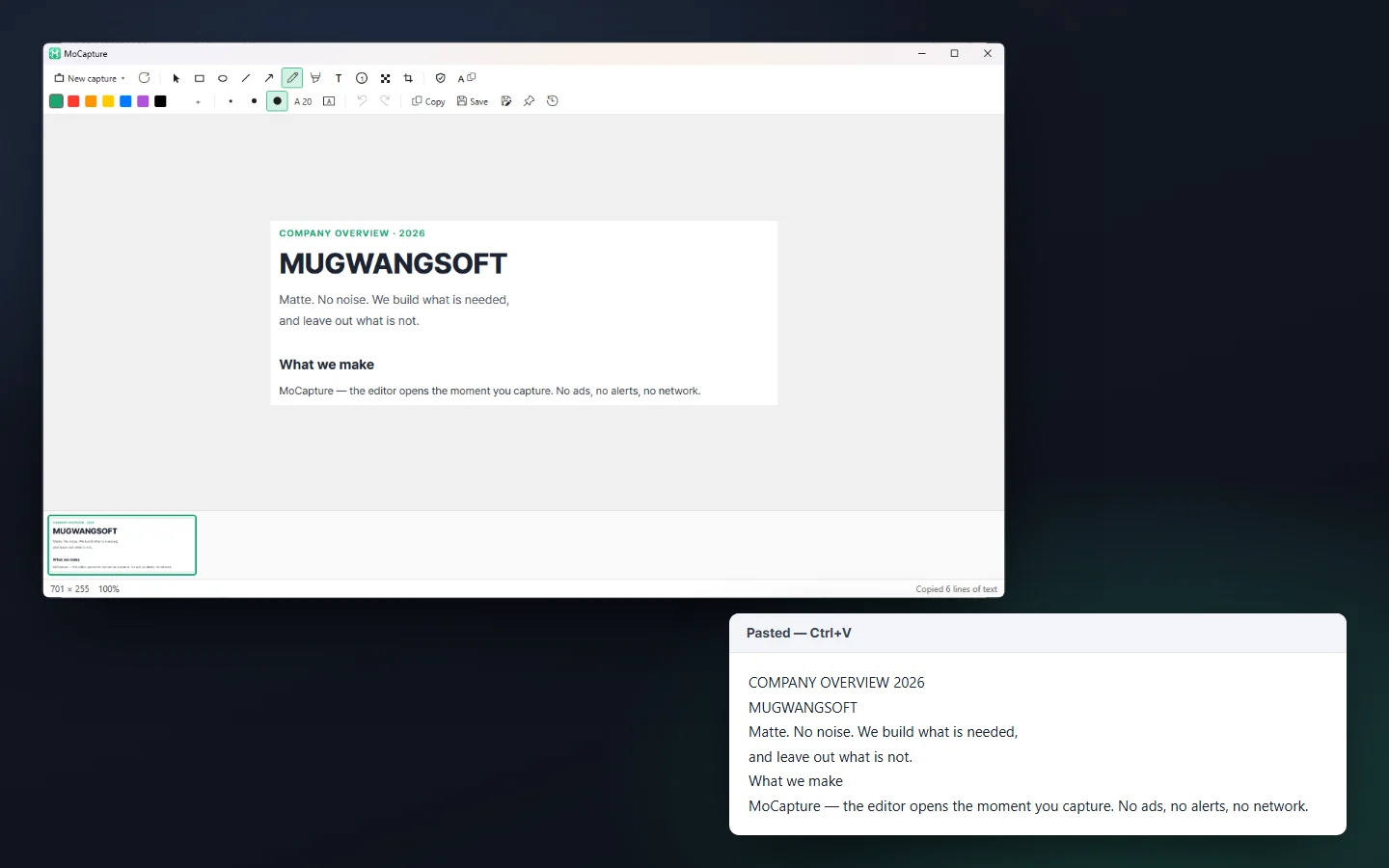
Words, not pixels.
Copy the text out of any capture. Offline, inside Windows.
Easy on security review.
Written no-network assurance. Ready answers. Silent install.
Questions
Is MoCapture safe from malware?
Yes. And rather than ask you to take our word for it, here is how to check.
1) What it never does
- It never connects to the internet. There is no code for it, so every feature keeps working with the firewall closed.
- It never asks for admin rights. Installing copies one file into your own user folder and adds shortcuts. Run uninstall.bat and it is gone.
- No ads, notifications, auto-updates or usage statistics. All it does is capture, edit, and keep a history on this PC.
2) How to check
- Is the file genuine? If the SHA-256 of the file you downloaded (a fingerprint unique to each file) matches the value below, it is exactly the file we published. If even one character differs, do not use it. In PowerShell, Get-FileHash checks it in one line. SHA-256 of the current release
c3cfdb2edca4c9e875cd3a2ebdaaa5d97e94de39034db80f66bb9d112f8b7156 - Virus scans: anyone can see on VirusTotal how more than 60 antivirus engines rated the program inside the download. See the scan results
- Does it really stay offline? Block MoCapture in your firewall and use it. Nothing changes.
- Where it comes from: every file is served only from downloads.mugwangsoft.com. A copy from anywhere else is not ours.
3) Why Windows may still warn you
- On first launch, Windows may show a blue “Windows protected your PC” box. It is not a malware verdict. Windows shows it for small programs without a paid code-signing certificate. Click “More info”, then “Run anyway”.
- A code-signing certificate is in preparation. Once the program is signed, the box will appear less often.
Can I use it alongside another capture tool?
Whichever program claims PrintScreen first gets it. Close that program or change its hotkey, and MoCapture takes over within 30 seconds.
A blue warning appears on first launch.
MoCapture is not code-signed yet, so Windows may show “Windows protected your PC”. Click “More info”, then “Run anyway”.
Does it really send nothing?
Nothing. It does not include a single network library. Block it in your firewall and see.
Scrolling capture does not work in Chrome.
On some PCs, security software blocks the scroll signal sent to Chrome. A later version adds a keyboard-based fallback.
Why is it free?
It is free for personal use. Business use is licensed separately.
Can masking miss something?
Yes. It finds things by reading the text in the picture, so small or blurry text can slip through. On a fake Korean finance document it caught 14 of 15. Check before you share.
Does reading text send anything anywhere?
No. It uses only the text recognition built into Windows. Reading and covering both happen on this PC.
Where do I send suggestions or problems?
One email to hello@mugwangsoft.com is all it takes. The template is on the feedback page.
Get it now.
Windows 10/11 · 64-bit · v1.5.0 · 67.9 MB · Unzip and run install.bat
SHA-256c3cfdb2edca4c9e875cd3a2ebdaaa5d97e94de39034db80f66bb9d112f8b7156 Every file comes only from downloads.mugwangsoft.com · Virus scan results